
Feature Release Version: 2026.1-RC1
Introduction
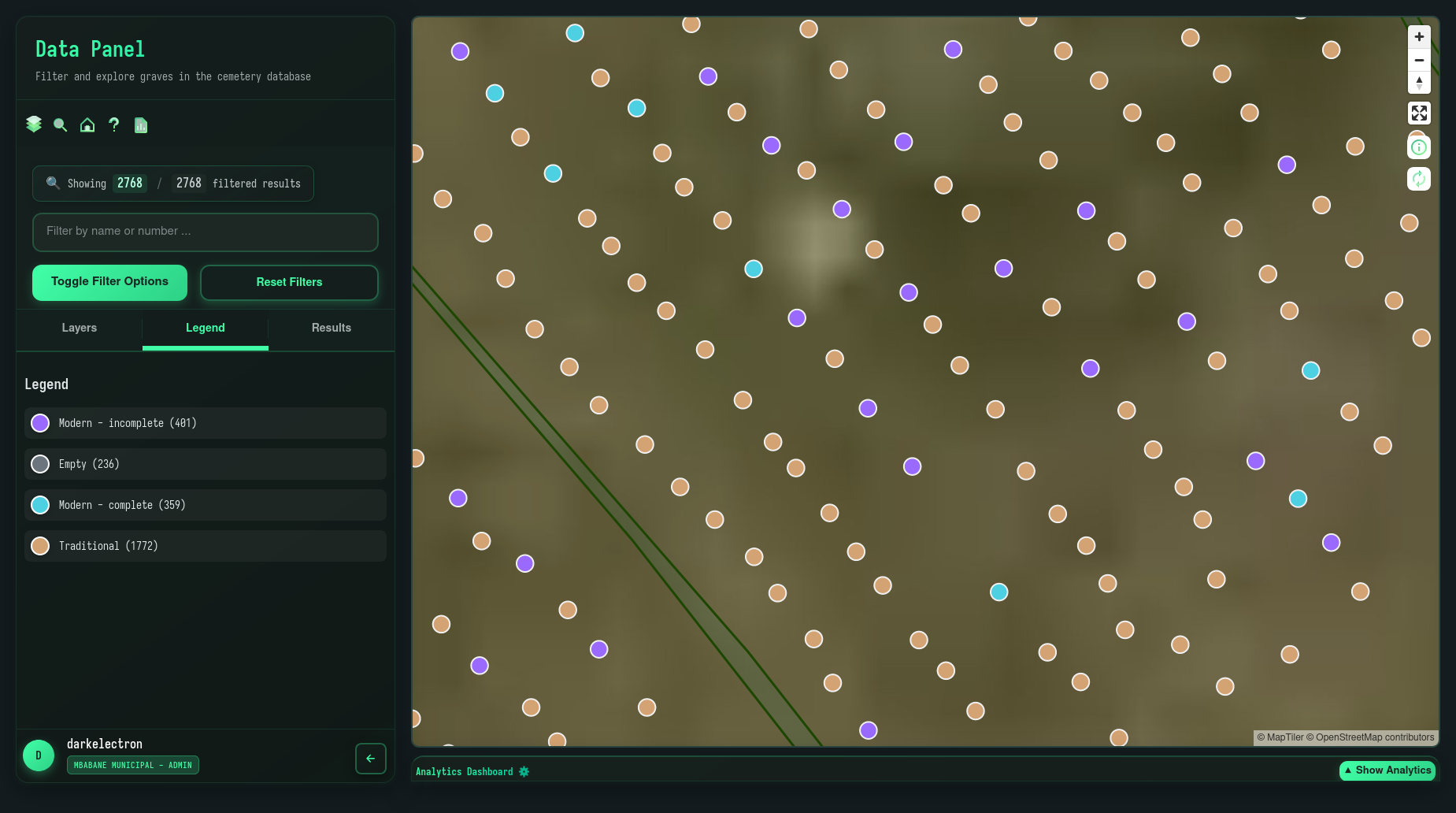
We’re excited to announce OpenEyeGS Version 2026.1-RC1 — our biggest release since October 2025. This update brings a completely redesigned interface, powerful new features, and a more intuitive user experience that will help you work smarter and faster.
Major Updates
1. New Home Page
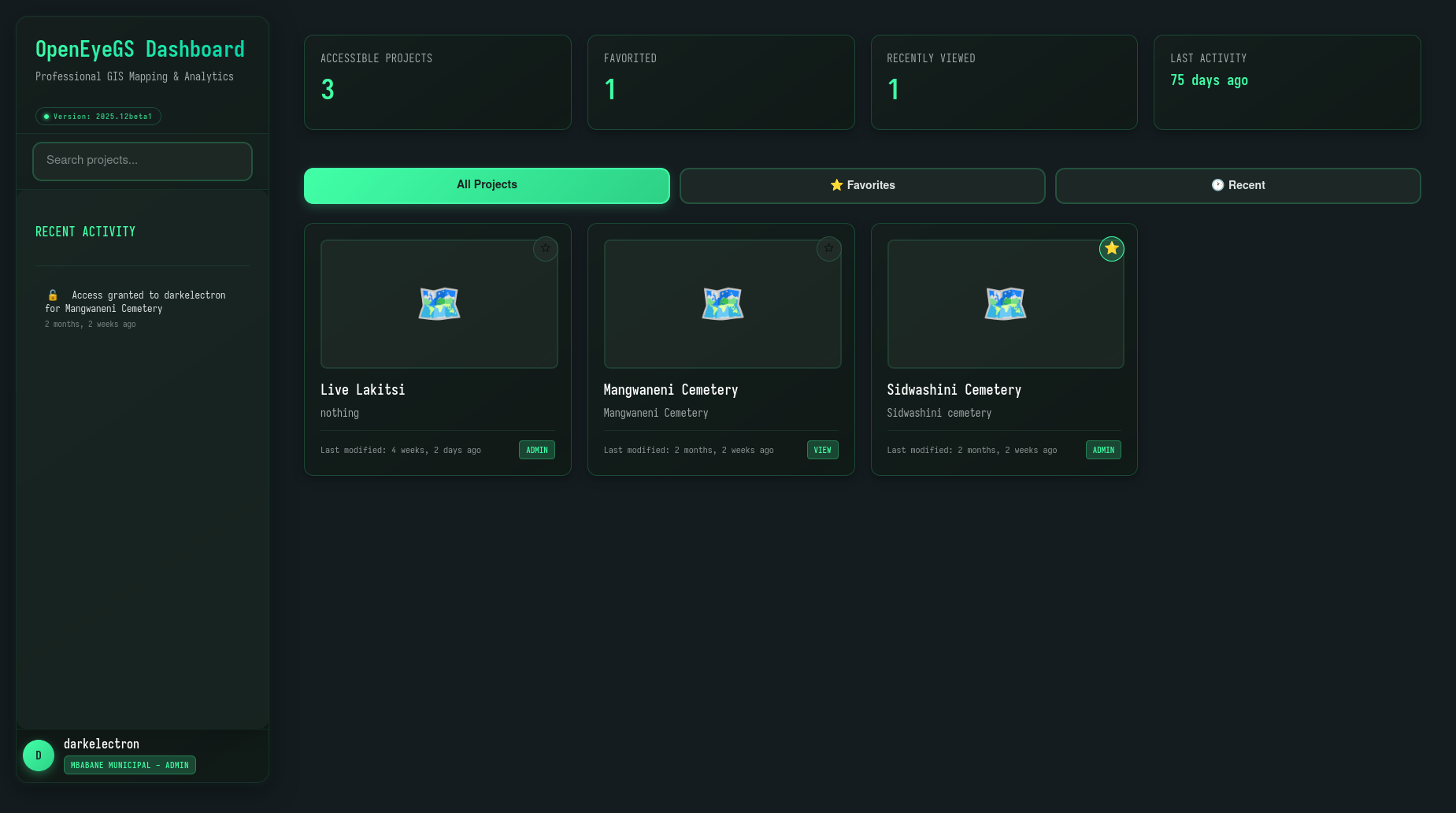
We’ve completely reimagined the landing experience to help you get started faster. The new home page provides a clean, organized entry point to everything OpenEyeGS offers:
- Projects — Access all your projects from one central location with improved thumbnails and status indicators
- User settings — Quick access to your preferences, profile, and account options
2. Refreshed Dashboard Sidebar
The dashboard sidebar has been completely overhauled to improve navigation and accessibility. We’ve introduced two new dedicated tabs that make finding what you need faster:
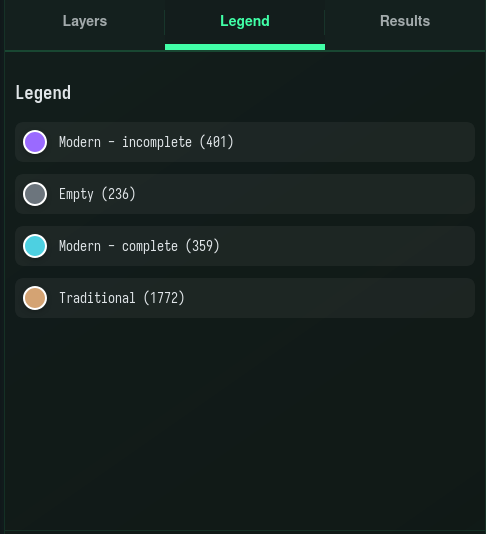
- Legends tab — Quickly reference layer meanings, colors, and symbols without leaving your workflow. Perfect for understanding complex maps at a glance
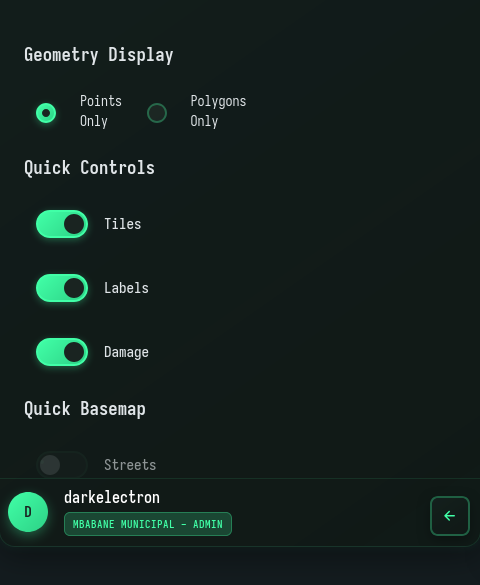
Layers tab — Manage all map layers in one convenient place. Toggle visibility, reorder layers, and adjust properties with ease. You have full control over your visualization with options to switch between different layer types and customize what appears on your map. Note that these changes are temporary and reset when you refresh or navigate away. To make your layer preferences permanent, save them as defaults in User Settings
Layer types — Use polygons to highlight areas and regions, or switch to points for precise location markers. Choose the visualization style that best suits your analysis needs
Custom elements — Turn custom tiles, labels, and additional overlays on or off. Show or hide road labels, place names, and other cartographic elements to reduce clutter and focus on what matters most
3. User Settings
We’ve introduced a new User Settings panel giving you greater control and personalization over your OpenEyeGS experience:
- Layer settings — Customize which layers are visible by default when you start a new session. Save your preferred layer configurations and switch between them effortlessly
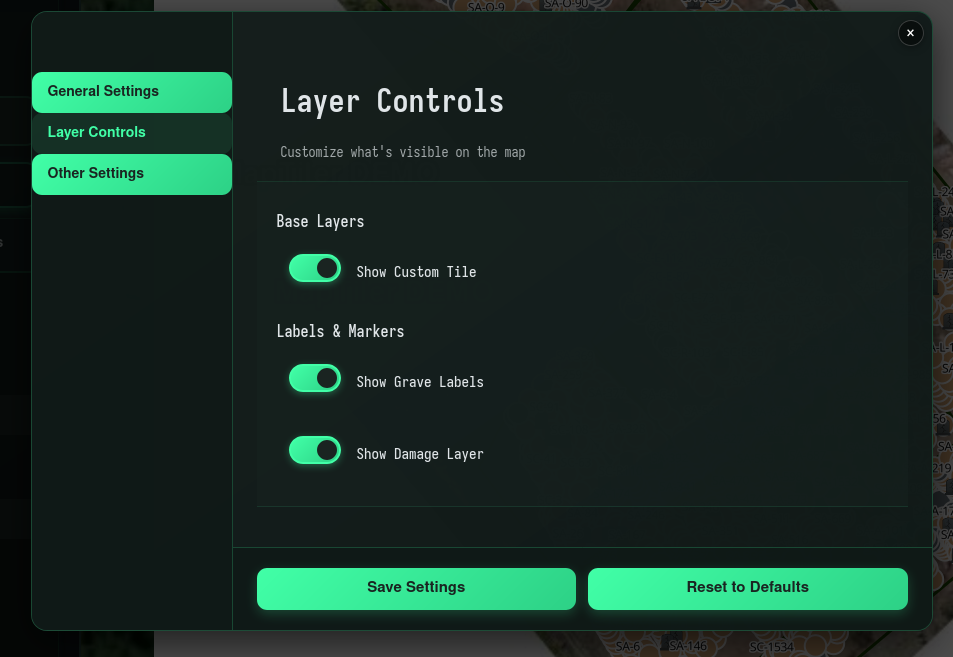
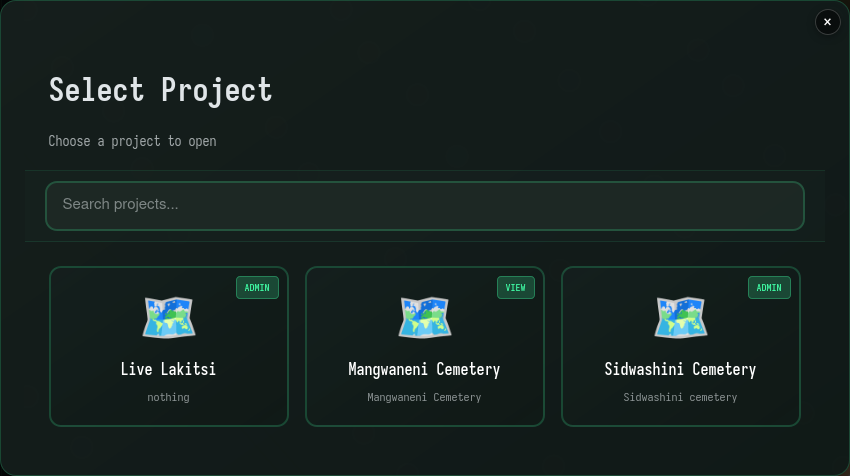
4. Easy Project Selection
Finding and switching between projects is now faster than ever. Our streamlined project selection interface lets you browse, search, and access your work with minimal clicks, reducing friction in your daily workflow.
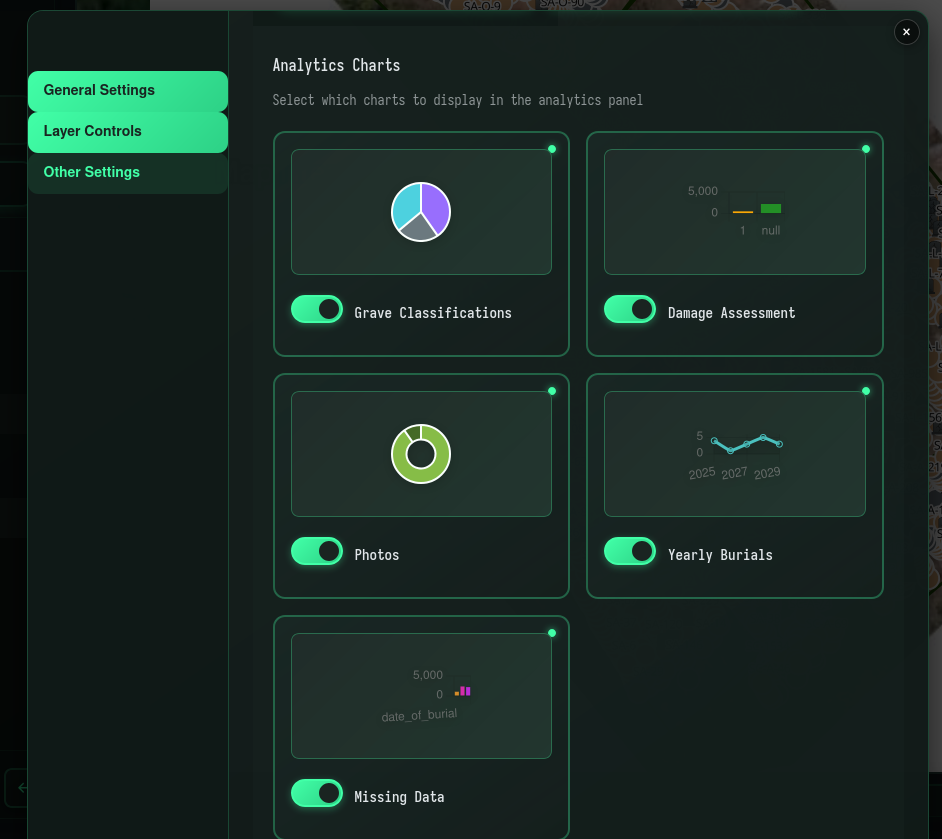
5. Selectable Analytics Dashboard
Dive deeper into your data with our interactive analytics dashboard. Build custom views by selecting specific metrics, choosing chart types, and filtering data to gain insights tailored to your needs.
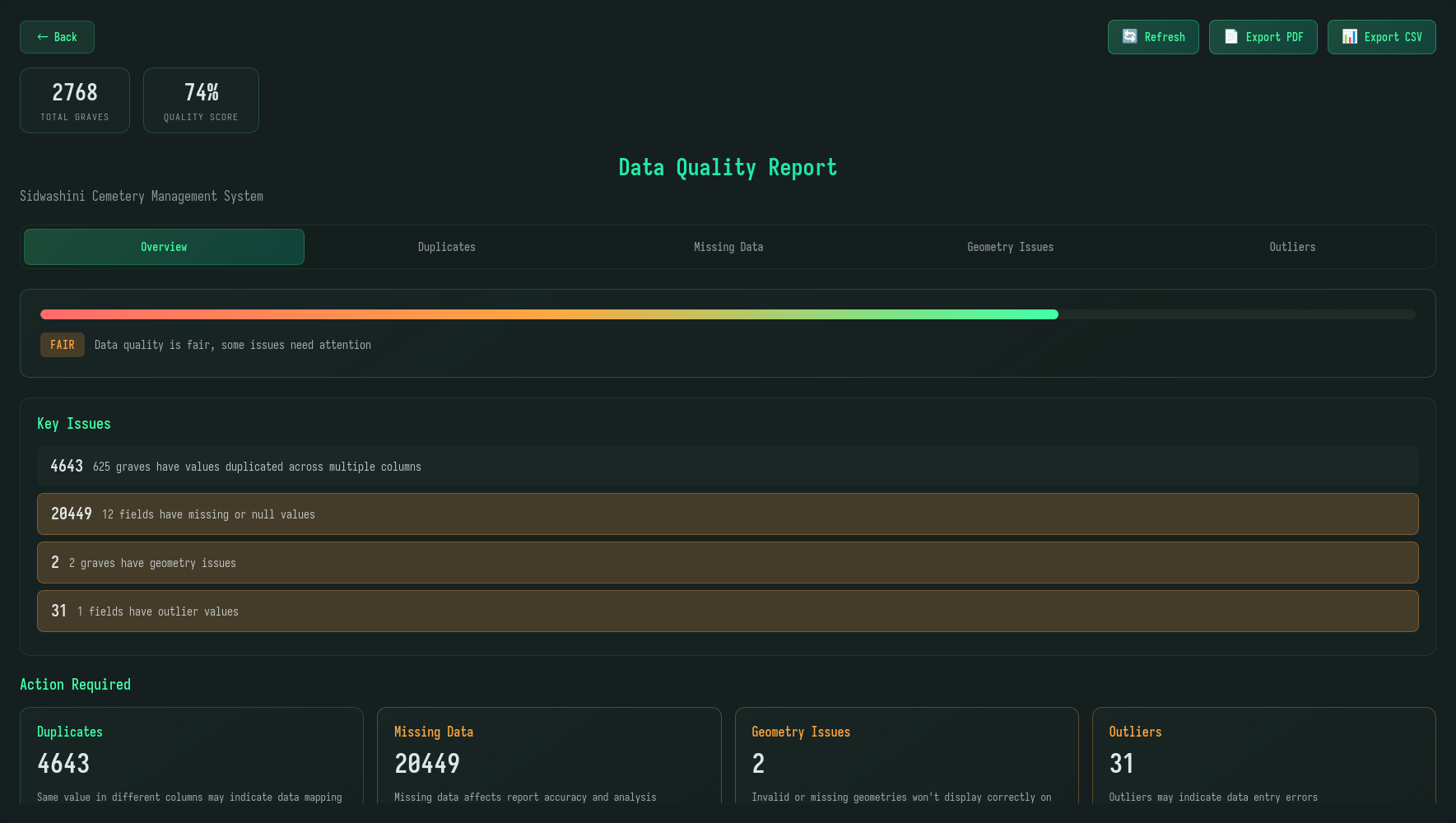
6. Data Quality Reports
Make data-driven decisions with confidence. Generate comprehensive quality reports that analyze your current dashboard data, highlighting completeness, accuracy, and potential issues for review and reporting.
7. Action Notifications
Stay informed about your actions with subtle, non-intrusive toast notifications. Whether you’re toggling layers, changing settings, or running reports, you’ll receive instant feedback confirming your actions were successful.
8. Backend Improvements
We’ve laid the groundwork for exciting future enhancements with major refactoring of our backend systems. These improvements deliver faster load times, better reliability, and a more robust foundation for upcoming features.
Minor Updates
- Quick links — Added convenient shortcuts to frequently accessed features for faster navigation

- Improved front-end error handling for server issues, providing clearer feedback when problems occur
- Better user experience when accessing forbidden pages, with helpful guidance instead of generic errors
Get Started
Ready to explore the new features? Visit the OpenEyeGS Dashboard to experience Version 2026.1-RC1 and discover how these updates can improve your workflow.
Kind Regards
The OpenEyeGS Team